
In the app
The budget board shows what a typical month costs
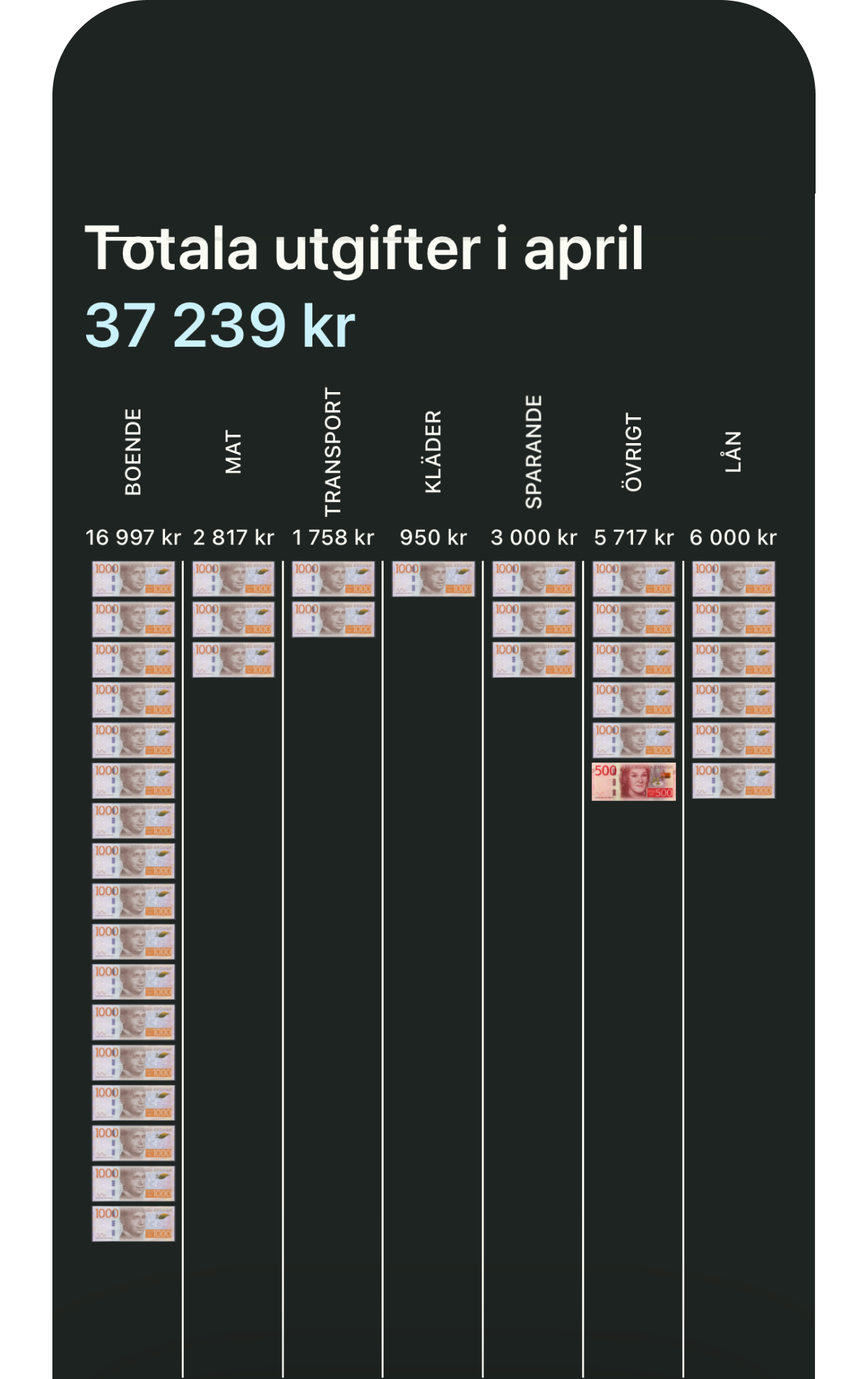
The budget board is income and what a typical month costs, split by category. The word budget is in the name. You do not assign envelopes or set goals.
You can move to the previous and next month, and share an image. The recipient sees the summary, not your accounts.


When a statement is not a picture of the month
A bank statement is a list. It does not say what a normal month costs, and it does not separate housing from food or a loan from a one-off purchase.
A classic budget app asks you to write the plan first. The board does the opposite: it reads what already happened and shows a typical month. If a figure looks wrong, correct the transaction or the category.
How the budget board works
The board is built from the accounts you connected. It is an overview, not a plan you fill in.
- 01.Connect Swedish accountsYou identify yourself with BankID. Finton reads the accounts through Open Banking with read-only access. The app cannot pay or move money.
- 02.Categories are set automaticallyPurchases get a category. You can correct one payment, or every payment to the same merchant, including Swish.
- 03.The board shows income and a typical monthCosts sit by category. It is the typical month, not a cap you set.
- 04.Move between months and shareYou can open the previous and next month. The shared image is a summary without account numbers.
How to read the board
These are examples of how the view is read. They are not a typical household and not a recommendation.
- Rent and a mortgage can sit under housing, the grocery shop under food and a streaming service under its own category. You then see what takes space in a normal month.
- A trip or a large one-off purchase can make a single month unlike the usual one. The board is built for the usual month.
- You can share the image when you talk about the month. The recipient does not see which accounts sit behind it.
What the board does, and what it leaves
What you get
- A picture of income and a typical month, without a spreadsheet.
- Categories you can correct, so the picture follows what the purchase actually was.
- A share that shows the summary and leaves the accounts in the app.
What the board is not
- You do not create envelopes, frames or savings goals.
- Comparisons with other households are not shown.
- History depends on the bank. A full import aims for about a year and can be shorter.
Read next
- Living costs the same typical month, split into everyday and lifestyle.
- Fixed costs the bills that recur, as a monthly amount.
- Budget app why Finton follows the month instead of asking you to write it.
- Categorise spending if a figure on the board looks wrong.
- Spending where the money went, beyond the typical month.
Common questions about the budget board
Is the budget board a budget I create?
No. The name contains the word budget, but you do not assign amounts. The board shows income and what a typical month costs, from the transactions.
Can I share the board without showing my accounts?
Yes. The shared image is a summary. Account numbers and the transaction list are not included.
Does Finton compare my month with other people?
No. The board does not compare you with other households or with other Finton users.
What if a category is wrong?
Correct the payment, or every payment to the same merchant. The board follows the corrected history. It has no budget line of its own to rewrite.
Can Finton pay what the board shows?
No. The connection is read-only. Finton cannot pay or move money.
Open the budget board in the app
Download Finton and connect a Swedish account with BankID. The app is free to use. Chat has its own limit of five messages a day.